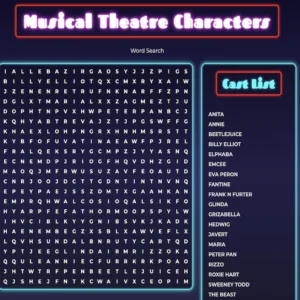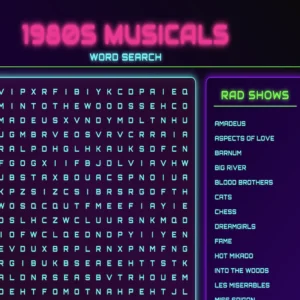
Theatre Word Search Puzzle
Title: THEATRE_OS
Type: Theatre Word Search
Status: Online
Target: You
Mission: Decrypt The Terminology Of The Stage
Let’s be real for a second. Most educational games feel like they were built in the Stone Age. You know the vibe: Comic Sans font, primary colours that hurt your eyes, and gameplay that feels about as responsive as a broken shopping cart. It’s tragic.
But theatre isn’t boring. It’s live, it’s technical, and it’s complicated. It’s the original 3D immersive experience. So, why should learning about it feel like homework?
Enter THEATRE_OS.
We’ve just dropped a brand new browser-based theatre word search that ditches the “classroom” vibe for something straight out of a sci-fi dystopia. Imagine if The Matrix had a baby with a stage management textbook, and you’re starting to get the picture. It’s neon, it’s glitchy, and it’s live right now.
The Aesthetic: Neon Nights & Scanlines
From the moment this theatre word search app loads, you aren’t just playing a puzzle; you’re logging into a secure terminal. The background is a deep void black (#020617 for the hex code nerds out there), overlaid with a faint, glowing cyber-grid. We’ve added a CRT scanline effect that flickers over the screen, giving it that retro-future analogue horror feel.
The fonts? We swapped out the boring standard text for Orbitron and Share Tech Mono. Everything looks like code scrolling down a terminal. When you hover over the grid, cells don’t just highlight—they glitch. The borders glow with “Electric Cyan” and “Matrix Green.” It’s a total mood.
The Mission: Data Retrieval
Your objective is simple, but the execution is precise. Buried in the grid are 26 essential theatre terms. We’re talking about the hardware of the stage: PROSCENIUM, COUNTERWEIGHTS, CYCLORAMA, and REVOLVE.
These aren’t just random letters. They are the components that make a show run.
We’ve tightened up the controls to match the aesthetic. You know how in some word searches, trying to highlight a diagonal word feels like trying to herd cats? We fixed that. We wrote a custom “Angle Snapping” algorithm into the code. Whether you’re dragging your thumb on a phone or using a mouse on a laptop, the selection line snaps perfectly to 45-degree angles. It feels tight, responsive, and incredibly satisfying.
Downloading Intel (The Smart Part)
Here is the coolest feature: this isn’t just about finding words; it’s about acquiring “intel.”
In most games, when you find a word, it just gets crossed off the list. Boring. In this theatre word search, when you successfully locate a target like BATTEN or MEZZANINE, the system interrupts you.
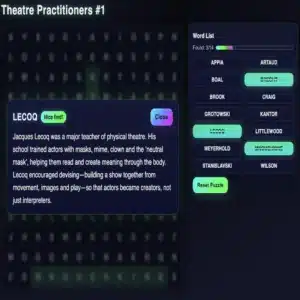
A holographic “Data Packet” modal glitches onto the screen. It’s a high-tech pop-up that gives you the definition of the term you just found. It’s like you’re hacking into the theatre’s mainframe and downloading the blueprints.
- Found WINGS? The system explains they are the offstage areas hidden from the audience.
- Found SCRIM? You learn it’s that trippy curtain that turns transparent when lit from behind.
You have to hit “ACKNOWLEDGE” to dismiss the data and return to the grid. It’s a rapid-fire way to learn the lingo without ever opening a textbook.
Theatre Word Search Immersion Mode
We know that playing inside a tiny browser window can break the immersion. That’s why we added a dedicated INITIATE FULLSCREEN button at the bottom of the data manifest (the word list).
One click, and the browser interface disappears. No tabs, no bookmarks, no distractions. Just you, the glowing grid, and the scanlines. It looks sick on a laptop in a dark room, but it’s also fully optimised for mobile. The grid scales perfectly to your screen, so you can hack the system on the bus, under your desk, or backstage while you’re waiting for your cue.
Sequence Complete
Once you’ve hunted down every single term in this theatre word search—from the ORCHESTRA pit to the GRID in the ceiling—the system triggers the Victory State.
I won’t spoil the whole animation, but let’s just say it involves a lot of green neon, a “SEQUENCE COMPLETE” banner that looks like you just beat a level in an arcade game, and a satisfaction rating of 100%.
Why Play?
Because knowing the difference between the APRON and the STALLS actually matters if you want to survive in the theatre world. And if you can look cool while learning it? Even better.
THEATRE_OS is free to play in your browser right now.
System Status: ONLINE
Grid: LOADED
YOUR MOVE…